Participation in the auction
When holding an auction, a participant submits his price offer by lowering the starting price by an auction step during the trading session.
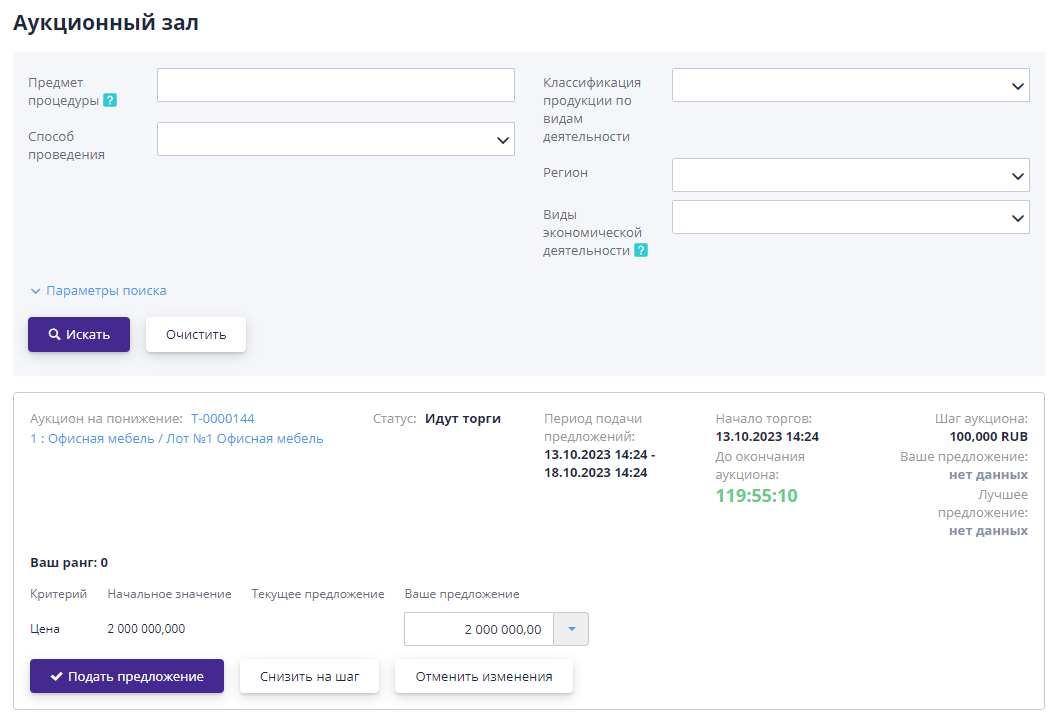
To take part, you must go to the auction progress page for the lot or the auction room on the date and time the auction begins and click on the “Participate” button.
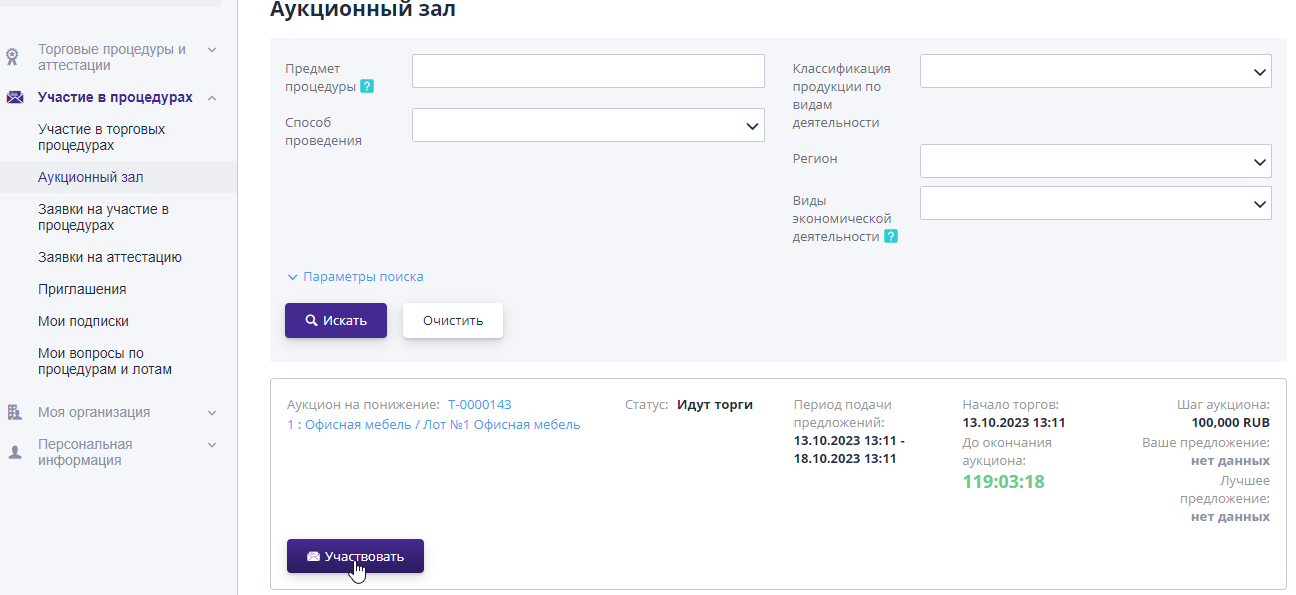
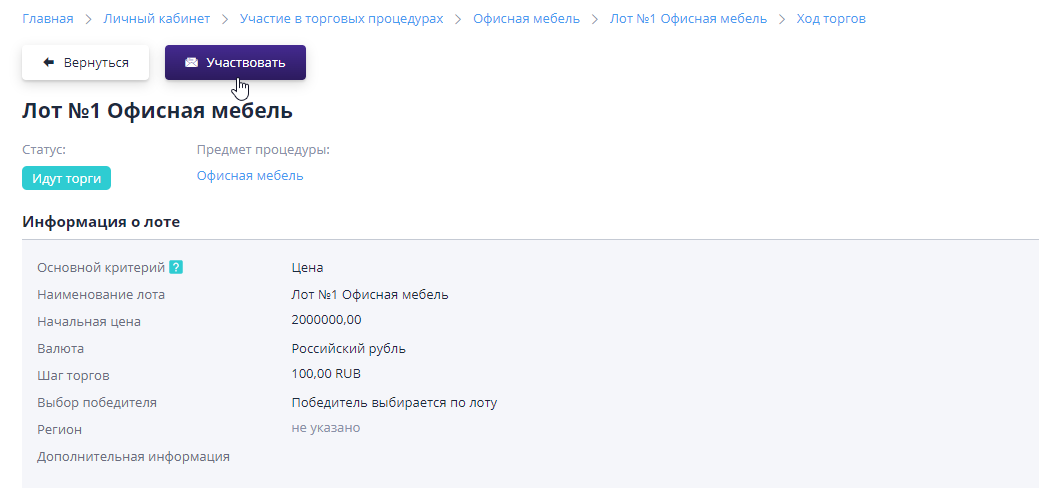
After which a block for submitting price proposals will open.
The participant makes new proposals in the “My proposal” block.You can change your price offer manually in the appropriate fields, or use the “Reduce/Increase by step” button to automatically calculate the offer.To submit a new proposal, you must click on the “Submit Proposal” button.
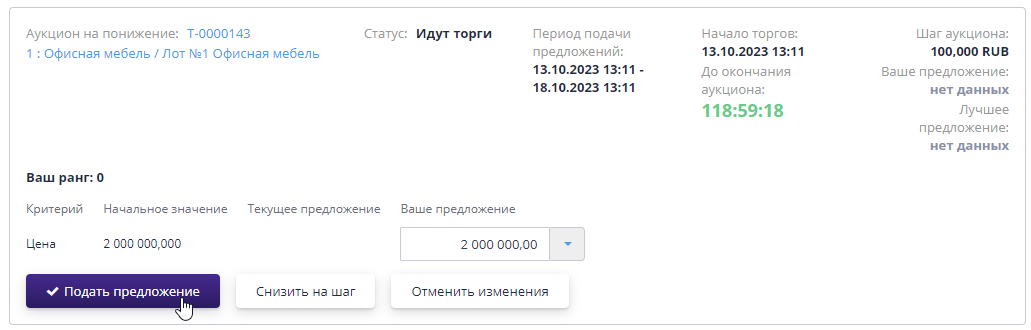
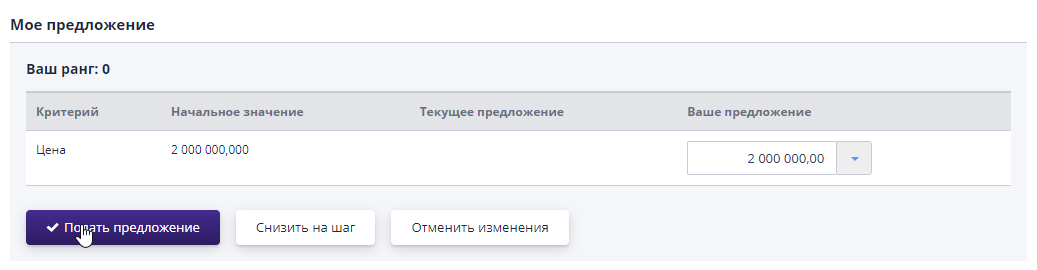
After confirmation, the system will display the participant's new offer.The “Trading Progress” block displays new offers made by participants, as well as the time they were submitted.The names of all participants are hidden to ensure anonymity.Its own bid has a signature with the name and data of the participant’s organization.
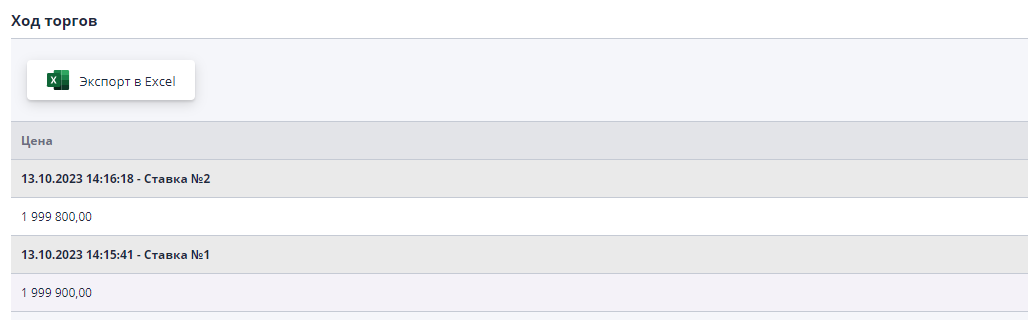
At the end of the auction, the organizer will review the submitted bids from participants and publish the results, completing the procedure.
Simplified auction room
This section displays a list of all lots with an active trading session.
In order to go to the auction hall page, you need to select the “Auction hall” item in the “Personal Account” menu in the left side menu in the “Participation in procedures” section.
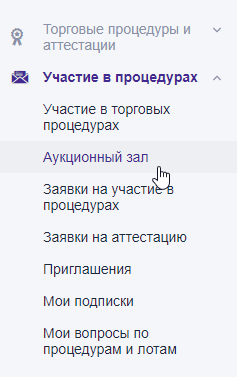
The auction hall allows an organization participating in several trading procedures to more quickly navigate the price offers submitted by other participants.In addition, the auction room allows you to immediately submit competitive price offers during the trading session.
The auction room page displays a list of lots that are currently in a trading session.